
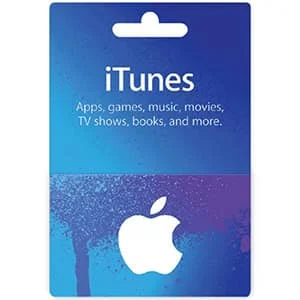
US iTunes Gift Card
A US iTunes gift card adds credit to your Apple Account balance. You can spend it in the App Store, Apple Music, Apple TV, Apple Books and on iCloud+ storage. Apple now sells these as Apple Gift Cards, and iTunes cards still redeem the same way.
iTunes Gift Card FAQ
Where do I buy an iTunes gift card on this page?
Pick an amount ($10, $15, $25, $50 or $100) and click Buy Now. You will go to that card on Kinguin, where you pay and receive the code, usually within minutes. GiftCardEver does not sell this card itself. We link to Kinguin and may earn a small commission, at no extra cost to you.
Which region do I need?
The iTunes cards linked on this page are US cards. They only work on Apple Accounts set to the United States. A US card will not redeem on an account from another country. Before you pay, check the region shown on the Kinguin product page.
Who should buy a US iTunes gift card?
A US iTunes gift card suits anyone with a US Apple Account who wants to pay for apps, games and media without a credit card. It also works as a gift for someone who uses an iPhone, iPad or Mac with a US account.
What can I buy with iTunes credit?
You can spend your Apple Account balance on:
- App Store: apps, games and in-app purchases.
- Apple Music: a monthly subscription, or songs and albums from the iTunes Store.
- Apple TV: the Apple TV subscription, or movies and shows to buy or rent.
- Apple Books: ebooks and audiobooks.
- iCloud+: extra storage.
How to redeem an iTunes gift card?
On iPhone or iPad:
- Open the App Store app.
- Tap your photo or the sign-in button at the top of the screen.
- Tap Redeem Gift Card or Code.
- Enter the code by hand or scan it, then tap Redeem.
On a Mac, open the App Store, click your name, then click Redeem Gift Card. More help is on Apple’s support site.
The cards on this page are for Apple Accounts set to the United States. Once you redeem a card, the full amount sits in your account balance and is used when you buy something or renew a subscription.
Write a review