Steam Gift Card
Game credit

Steam Gift Card

5.0 · 5 reviews

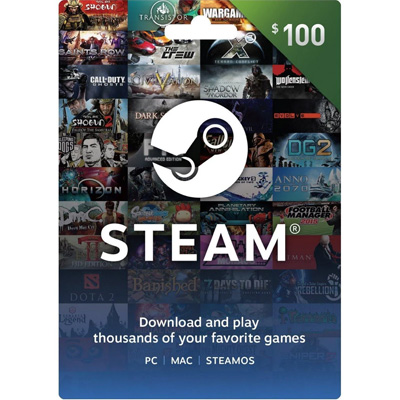
Global Steam gift card codes in USD that add funds to your Steam Wallet for games, DLC and in-game items.

Choose amount

Buy now

Secure checkout on Kinguin. We may earn a commission.

  • Digital code, delivered by the seller
  • Check the region matches your account
  • Price and stock are set by the seller

Steam Gift Card (Global, USD)

A Steam gift card adds funds to your Steam Wallet. You can spend them in the Steam Store on PC and Mac games such as Forza Horizon, PUBG or Assassin’s Creed, plus DLC, Steam Deck games and Community Market items.

Instant digital code

Kinguin delivers the code to your Kinguin account right after payment, usually within minutes.

Pay on Kinguin

Checkout and payment happen on Kinguin, a large digital marketplace. GiftCardEver never sees your payment details.

Compare sellers

Kinguin lists several sellers for each card, so you can pick the price and seller rating that suit you.

Steam Gift Card FAQ

Where do I buy a Steam gift card on this page?

Pick an amount ($20, $50 or $100) and click Buy Now. You will go to that card on Kinguin, where you pay and receive the code, usually within minutes. GiftCardEver does not sell this card itself. We link to Kinguin and may earn a small commission, at no extra cost to you.

Which region do I need?

The Steam cards linked on this page are Global cards in US dollars. They are meant to work on Steam accounts in most countries. Some accounts that use a different currency may have restrictions, so check the region and currency notes on the Kinguin product page before you pay.

Who should buy a Steam gift card?

Steam has tens of thousands of games for PC and Mac. A gift card is an easy way to add funds to your Steam account without a credit card. Games you buy stay in your Steam library, so you can download and play them anytime. You can also use your Wallet to buy gifts for Steam friends.

What can I buy with Steam Wallet funds?

Steam Wallet funds work on almost anything in the Steam Store: games in every genre, DLC, software, and items from the Steam Community Market.

How to redeem a Steam gift card?

In the Steam app:

  1. Open Steam and sign in.
  2. Click Games in the top menu, then Redeem a Steam Wallet Code.
  3. Enter the code and click Continue.

In a web browser, sign in and go to Redeem a Steam Wallet Code.

The cards on this page are Global Steam cards in US dollars. Redeem the code on your Steam account and the funds appear in your Steam Wallet, ready for your next purchase.

Reviews

5.0 out of 5 · 5 reviews

  1. Roy DUNNVerified buyer

    Very good

  2. Roy DunnVerified buyer

    Good service

  3. Roy DunnVerified buyer

    Very good service

  4. Cristina IlincaVerified buyer

    Excelent

  5. Cristina IlincaVerified buyer

    Excelent

Write a review

Your rating

Your email is not published. Reviews appear after a quick check.