
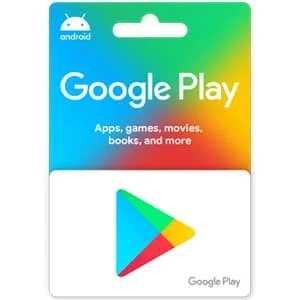
US Google Play Gift Card
A US Google Play gift card adds balance to your Google Play account. You can use it for apps, games, in-app purchases, books and subscriptions in the Play Store. The card only works on a Google account whose Play country is the United States.
Google Play Gift card FAQ
Where do I buy a Google Play gift card on this page?
Pick an amount ($10, $15, $25, $50 or $100) and click Buy Now. You will go to that card on Kinguin, where you pay and receive the code, usually within minutes. GiftCardEver does not sell this card itself. We link to Kinguin and may earn a small commission, at no extra cost to you.
Which region do I need?
The Google Play cards linked on this page are US cards. They only work on Google Play accounts set to the United States. A US card will not redeem on an account from another country. Before you pay, check the region shown on the Kinguin product page.
Why buy a US Google Play gift card?
Many apps and games on Google Play are paid or have in-app purchases. A gift card lets you pay for them without a credit card. It also makes a simple gift for someone with an Android phone or tablet and a US Google Play account.
What can I buy with Google Play credit?
You can use your Google Play balance for paid apps and games, in-game items, ebooks and audiobooks on Google Play Books, and subscriptions billed through Google Play.
How to redeem a Google Play gift card?
On an Android device:
- Open the Google Play Store app.
- Tap your profile icon at the top right.
- Tap Payments & subscriptions, then Redeem code.
- Enter the code and tap Redeem.
On a computer, go to play.google.com/redeem, sign in and enter the code.
After you redeem the code, the full amount is added to your Google Play balance. It stays there until you spend it on something in the Play Store.
Write a review