
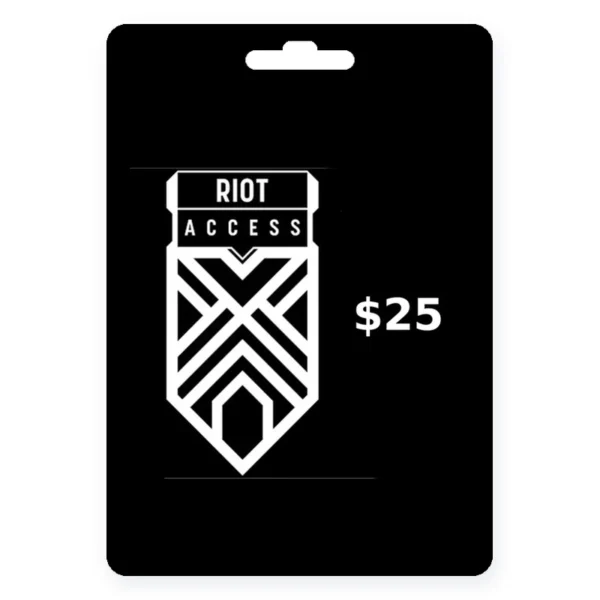
For Riot accounts on the NA server (US/Canada). Check your region in your Riot account settings.
| Works on | League of Legends, VALORANT, Teamfight Tactics, Legends of Runeterra |
|---|---|
| Redeem at | shop.riotgames.com/redeem or in each game client |
| Region | NA server only (US and Canada accounts) |
| Expires | Cash codes never expire |
| Delivery | Digital code from a Kinguin seller, usually within minutes |
| Can buy | RP, VP and other in-game premium currency, skins, battle passes |
| Not for | Cash-out, account transfers, or splitting between games |
Riot Access Codes for NA Server Accounts
Riot Access is a prepaid code from Riot Games that adds premium currency to your account. You choose which game receives the funds when you redeem. In League of Legends and Teamfight Tactics the code converts to Riot Points (RP). In VALORANT it becomes Valorant Points (VP). In Legends of Runeterra it becomes Coins.
With that currency you can buy champions, skins, battle passes, emotes and other cosmetic items in each game’s store. According to Riot Support, you must use the whole code on one game only. The code cannot be split across titles or transferred to another account.
Riot Access Gift Card FAQ
Where do I buy a Riot Access gift card on this page?
Riot Access codes on this page are sold through Kinguin, not by GiftCardEver. Pick an amount ($5, $10, $15, $20, $25, $50 or $100), click Buy now, and you will be taken to that card’s listing on Kinguin. You complete payment and receive the code there. We link to Kinguin through an affiliate partnership and may earn a commission at no extra cost to you.
Can I use a US Riot Access code on any server?
Riot Access codes purchased for the US are region locked to the NA server. According to Riot’s prepaid gift card page, “if you purchase a card in the United States or Canada, the card will only be redeemable in the NA server.” If your Riot account is set to a different region such as EU West or EU Nordic, a US code will not work. You can check your account region at account.riotgames.com.
How do I redeem a Riot Access code?
Riot Access codes can be redeemed on the web or inside each game client. On the web:
- Go to shop.riotgames.com/redeem and log in.
- Select the game you want to add funds to.
- Enter your code exactly as it appears.
- Confirm the transaction summary.
In League of Legends, open the Store, click the Account icon in the top right, select Redeem Codes, and enter the code. In VALORANT, go to the Store tab, click the VALORANT icon, select Prepaid Cards and Codes, and submit the code.
Is it safe to buy a Riot Access code through Kinguin?
Kinguin is a marketplace with many independent sellers, not a single retailer. Before purchasing, check the seller’s rating and review count. Kinguin offers a buyer protection program as an optional paid add-on. If a code does not work, contact Kinguin support with your order details, not Riot Games. Keep your order confirmation page. GiftCardEver links to Kinguin through an affiliate partnership but does not handle orders, delivery or support.
What can I buy with Riot Access credit?
Riot Access credit converts to the premium currency of the game you choose at redemption. In League of Legends and TFT, RP buys champions, skins, chromas, emotes, ward skins, loot boxes and the battle pass. In VALORANT, VP buys weapon skins, player cards, sprays, gun buddies and the battle pass. In Legends of Runeterra, Coins buy cards, boards and cosmetics. You cannot cash out the balance, send it to another account, or use it for physical merchandise.
Do Riot Access codes expire?
Riot Access cash codes never expire. Riot Support confirms that “cash codes never expire.” There are no dormancy fees or maintenance charges. Once redeemed, the premium currency stays in your account with no time limit.
How do I check my Riot Access balance?
Riot Access codes are redeemed in full and converted to in-game currency, so there is no separate Riot Access balance to check. After redeeming, your RP balance appears in the top right corner of the League of Legends or TFT store. Your VP balance shows in the top right of the VALORANT store. Your Coin balance shows in the Legends of Runeterra store.
Can I send a Riot Access code to a friend?
Riot Access is delivered as a digital code, so you can share the code with anyone. The recipient enters it on their own Riot account. Their account must be on the NA server to redeem a US code. Do not share your code publicly or with strangers, as codes can only be redeemed once.
Why do scammers ask for Riot Access gift cards?
Gift card codes are hard to trace once shared, which makes them a target for scammers. No real company, government agency or tech support team will ever ask you to pay with a gift card. If someone pressures you to buy Riot Access codes as payment, it is a scam. Never share a code with someone who contacted you unexpectedly. Report gift card scams to the FTC at ReportFraud.ftc.gov.
Riot Access codes come in seven amounts from $5 to $100, all for the NA server. If you play League of Legends, you may also want to check out our League of Legends Gift Card page. For VALORANT players, the Valorant Riot Points Gift Card page covers game-specific cards. Pick the amount that matches your planned purchase to avoid leftover currency sitting unused in your account.
Be the first to review this card